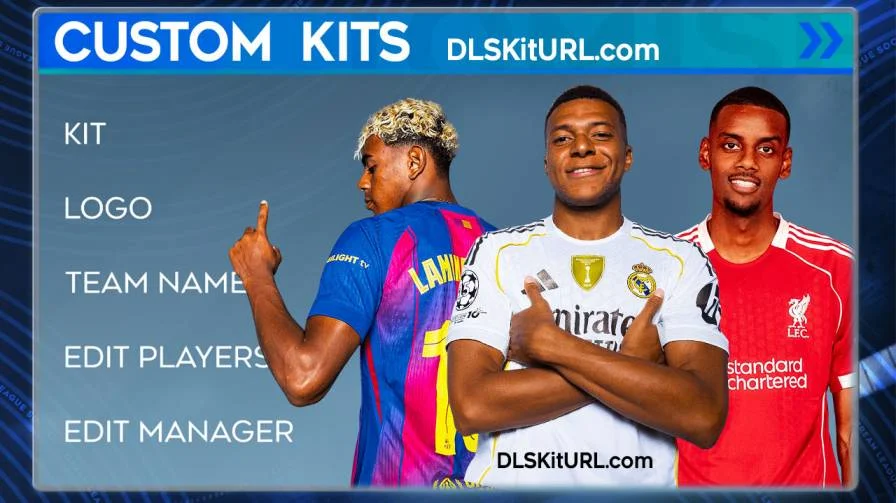
You can customise your team in DLS 26 by importing Kits and Logos to the game. Importing the custom kits is very easy and can make the game more interesting. The kits and logo would be in a 512×512 pixel size and in the PNG format for it to be imported into the game.
You need to unlock the Import Kits section of the game by paying 150 gems before pasting the link into Dream League Soccer 2026.
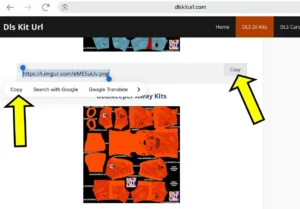
First of all, you need to find your favourite Team Kits on our site. Navigate to the particular kit you want and find a link below the kit. Press the Copy button, and the link will automatically be pasted to your clipboard. For iOS user you need to manually copy the link by holding and sliding over the link, then pressignt he copy button there.
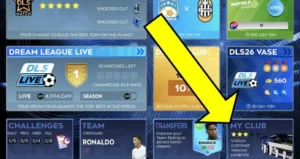
Now, open Dream League Soccer 2026, and click on the ‘My Club‘ Section on the main menu.
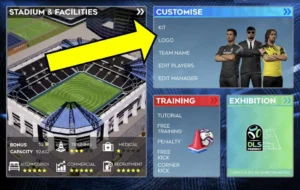
After that, click on the ‘Customise‘ Section in the ‘My Club’ Section.
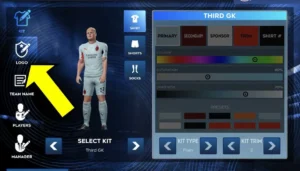
You can find the Kits and Logo Section, which you can unlock by paying 150 gems. You can choose from the given kits:
- Home
- Away
- Third
- Goalkeeper Home
- Goalkeeper Away
- Goalkeeper Third
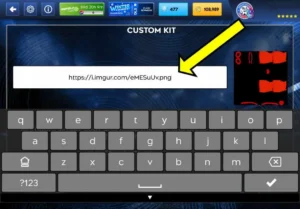
Press and hold the centre white area and paste the link to your kit/logo. Press the import button in the bottom right corner.
A dialogue box will appear confirming the import. If it doesn’t work, we recommend using a VPN and then trying the import again.
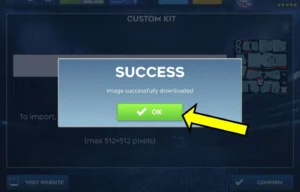
Congratulations, your favourite kits are here to be shown in the game. Please note that these kits are not shown to your opponents during LIVE games. We have a very wide variety of kits on our site, from various classic kits and the latest Kits of all the Major clubs.
See Also: FTS 26
Thank you so much
When do I get the kit link?
Today
Thanks for your help
Jersey character really 26
Je veux tu ti lisez
Kit